Kratos: An elegant toolkit for Go microservices.
Kratos是一個基於golang實現的面向微服務的治理框架,它提供了便捷的功能,幫助你從零開始快速構建一個可靠的應用。
他是 B 站開源的一個 golang 微服務框架,也是主流的微服務框架之一。
名字來源於:《戰神》遊戲以希臘神話為背景,講述奎託斯(Kratos)由凡人成為戰神並展開弒神屠殺的冒險經歷。
簡介
安裝和簡單使用
安裝
安裝前置
安裝指令
go install github.com/go-kratos/kratos/cmd/kratos/v2@latest
kratos upgrade
go install github.com/google/wire/cmd/wire@latest
安裝之後檢視相關操作
(base) ➜  GoFramwork git:(main) kratos -h
Kratos: An elegant toolkit for Go microservices.

Usage:
  kratos [command]

Available Commands:
  changelog   生成 Kratos 变更 log
  completion  为指定的Shell生成自动补全脚本
  help        帮助指令
  new         生成一个服务模板
  proto       生成 proto 文件
  run         运行项目
  upgrade     升级 Kratos 工具

Flags:
  -h, --help      help for kratos
  -v, --version   version for kratos

Use "kratos [command] --help" for more information about a command.
Demo
根據官方的提示建立一個Kratos HelloWord
首先使用 new 建立專案
kratos new helloworldnew 完成後我們發現可以選擇不同的模板,這裡我們選擇第一個service

等待生成完成,這是生成的專案結構
.
├── api  # API 定义层 (Protocol Buffers)
│   └── helloworld
│       └── v1
│           ├── error_reason.pb.go   # [生成] 错误原因的 Go 代码
│           ├── error_reason.proto   # 定义业务错误原因 (Enum)
│           ├── greeter_grpc.pb.go   # [生成] gRPC 服务端和客户端代码
│           ├── greeter_http.pb.go   # [生成] Kratos HTTP 服务代码 (路由、编解码)
│           ├── greeter.pb.go        # [生成] 请求/响应消息的 Go 结构体
│           └── greeter.proto        # 定义服务接口 (RPC) 和消息结构 (Message)
├── cmd  # 程序入口 (Entry Point)
│   └── helloworld
│       ├── main.go      # 主程序入口:负责初始化资源、依赖注入、启动服务、监听退出信号
│       ├── wire_gen.go  # [生成] Wire 依赖注入生成的具体代码 (不要手动修改)
│       └── wire.go      # Wire 依赖注入的声明文件,定义 ProviderSet
├── configs  # 配置文件
│   └── config.yaml      # 具体的配置内容 (如数据库地址、端口、日志级别等)
├── Dockerfile           # 容器化构建脚本
├── go.mod               # Go 模块依赖定义
├── go.sum               # Go 模块依赖校验和
├── internal  # 内部业务逻辑 (Go 规范:外部项目无法 import 此目录内容)
│   ├── biz   # [业务逻辑层 / 领域层] (Domain Layer)
│   │   ├── biz.go       # 定义 biz 层的 ProviderSet
│   │   ├── greeter.go   # 定义领域对象 (Entity) 和 业务接口 (Repo Interface),不依赖具体实现
│   │   └── README.md
│   ├── conf  # [配置定义层]
│   │   ├── conf.pb.go   # [生成] 配置文件的 Go 结构体
│   │   └── conf.proto   # 定义配置文件的结构 (将 YAML 映射为强类型 struct)
│   ├── data  # [数据访问层 / 基础设施层] (Infrastructure Layer)
│   │   ├── data.go      # 初始化数据库/Redis 连接,定义 data 层的 ProviderSet
│   │   ├── greeter.go   # 实现 biz 层定义的 Repo 接口 (数据库 CRUD、缓存、RPC 调用)
│   │   └── README.md
│   ├── server # [服务实例层]
│   │   ├── grpc.go      # 初始化 gRPC Server
│   │   ├── http.go      # 初始化 HTTP Server
│   │   └── server.go    # 定义 server 层的 ProviderSet
│   └── service # [应用服务层] (Application Layer)
│       ├── greeter.go   # 实现 api 定义的 protobuf 接口,负责 DTO -> DO 转换,编排 biz 逻辑
│       ├── README.md
│       └── service.go   # 定义 service 层的 ProviderSet
├── LICENSE              # 许可证文件
├── Makefile             # 项目管理脚本 (生成 API、编译、运行、测试等命令)
├── openapi.yaml         # [生成] OpenAPI/Swagger 接口文档
├── README.md            # 项目说明文档
└── third_party  # 第三方依赖的 Proto 文件 (用于生成代码)
    ├── errors           # Kratos 错误模型定义
    │   └── errors.proto
    ├── google           # Google 官方 Proto (API 注解、HTTP 映射、通用类型等)
    │   ├── api
    │   │   ├── ...
    │   └── protobuf
    │       ├── ...
    ├── openapi          # OpenAPI 生成相关的 Proto 定义
    │   └── v3
    │       ├── ...
    ├── README.md
    └── validate         # 参数校验规则 Proto 定义
        ├── README.md
        └── validate.proto
之後我們進入目錄,執行依賴下載指令
cd helloworld
go mod download
我們也可以自己編寫proto原始碼、wire等等,透過 Kratos 生成相應的程式碼
go generate ./...然後是執行專案
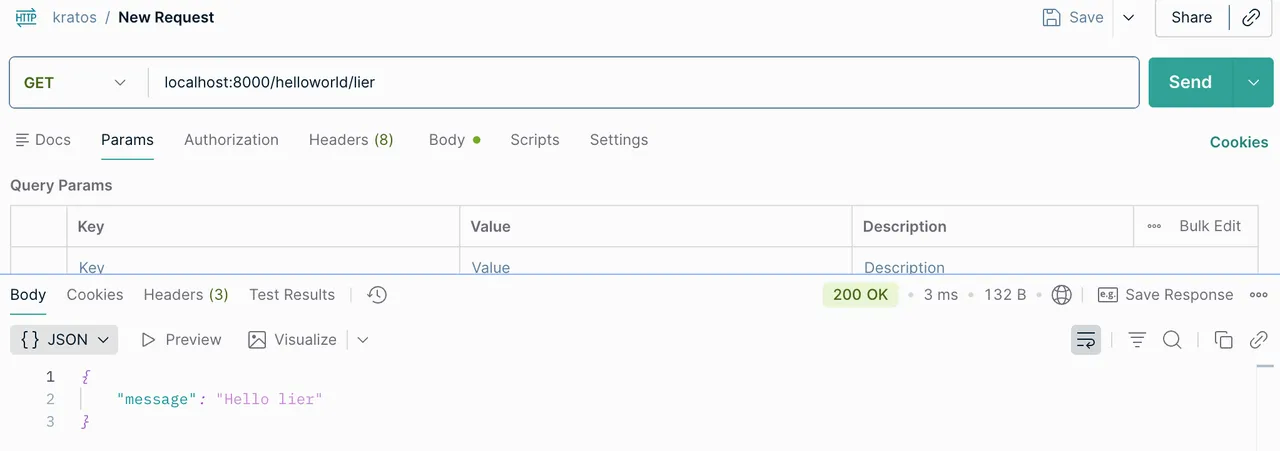
kratos run
依賴注入 wire
參見文章:控制反轉和依賴注入
Kratos的配置
配置源
-
檔案json yaml
-
環境變數 env
-
配置中心 apollo consul
讀取配置
-
c.Load 和 c.Scan, 取值c.Value
-
c.Watch 配置熱載入
-
合併
-
Resolver 自定義
-
Codec自定義
配置結構體
internal/conf/conf.pb.go 檔案中的 Bootstrap
程式新增配置的核心流程
-
1. 修改 internal/conf/conf.proto 檔案, 用pb定義配置
-
2. 生成配置對應的Go程式碼專案目錄下執行 make config如果沒有裝make命令,那麼就執行
protoc --proto_path=./internal \--proto_path=./third_party \--go_out=paths=source_relative:./internal \internal/conf/conf.proto -
3. 修改configs配置檔案
注意事項
-
pb檔案要語法寫對
-
改完pb檔案一定記得要生成Go程式碼
-
配置檔案要跟Go程式碼裡的結構體對應上
-
配置檔案的語法要寫對
自定義HTTP返回
建立響應編碼器並替換預設編碼器,具體demo可見專案:httpencoder和http
package server

import (
        "net/http"

        kratoshttp "github.com/go-kratos/kratos/v2/transport/http"
        kratosstatus "github.com/go-kratos/kratos/v2/transport/http/status"
        "google.golang.org/grpc/status"
)

// 定义 HTTP 响应编码器

// 覆盖默认的  DefaultResponseEncoder, 通过  http.ResponseEncoder() 配置,注入到  http.Server() 中
type httpResponse struct {
        Code int32  `json:"code"`
        Msg  string `json:"msg"`
        Data any    `json:"data"`
}

func ResponseEncoder(w http.ResponseWriter, r *http.Request, v any) error {
        if v == nil {
                return nil
        }
        // 判断是否是重定向
        if rd, ok := v.(kratoshttp.Redirector); ok {
                url, code := rd.Redirect()
                http.Redirect(w, r, url, code)
                return nil
        }
        // 构造自定义的响应结构体
        resp := &httpResponse{
                Code: http.StatusOK,
                Msg:  "success",
                Data: v,
        }
        // 响应数据
        codec, _ := kratoshttp.CodecForRequest(r, "Accept")

        data, err := codec.Marshal(resp) // json.Marshal
        if err != nil {
                return err
        }
        // 设置响应头 Content-Type:application/json
        w.Header().Set("Content-Type", "application/"+codec.Name())
        _, err = w.Write(data)
        return err
}

// 自定义的错误响应编码器
func errorEncoder(w http.ResponseWriter, r *http.Request, err error) {
        if err == nil {
                return
        }
        resp := new(httpResponse) // 能从err里面解析出错误码的
        if gs, ok := status.FromError(err); ok {
                resp = &httpResponse{
                        Code: int32(kratosstatus.FromGRPCCode(gs.Code())),
                        Msg:  gs.Message(),
                        Data: nil,
                }
        } else {
                resp = &httpResponse{
                        Code: http.StatusInternalServerError, // 500
                        Msg:  "内部错误",
                }
        }

        codec, _ := kratoshttp.CodecForRequest(r, "Accept")
        body, err := codec.Marshal(resp)
        if err != nil {
                w.WriteHeader(http.StatusInternalServerError)
                return
        }
        w.Header().Set("Content-Type", "application/"+codec.Name())
        w.WriteHeader(int(resp.Code))
        _, _ = w.Write(body)
}
// 替换默认的 HTTP 响应编码器
opts = append(opts, http.ResponseEncoder(ResponseEncoder))
// 替换默认的错误响应编码器
opts = append(opts, http.ErrorEncoder(errorEncoder))日誌
為了方便使用,Kratos定義了兩個層面的抽象,Logger統一了日誌的接入方式,Helper介面統一的日誌庫的呼叫方式。
Kratos的日誌庫主要有如下特性:
-
Logger用於對接各種日誌庫或日誌平臺,可以用現成的或者自己實現
-
Helper是在您的專案程式碼中實際需要呼叫的,用於在業務程式碼裡打日誌
-
Filter用於對輸出日誌進行過濾或魔改(通常用於日誌脫敏)
-
Valuer用於繫結一些全域性的固定值或動態值(比如時間戳、traceID或者例項id之類的東西)到輸出日誌中
中介軟體