Project introduction
This is a modern personal blog/website template built with Quarto, designed for researchers, students, and developers to showcase research notes, project results, paper reading notes, and learning records.
Key features
- Modular structure: supports multiple content types such as blog posts, projects, paper reading, and learning notes
- Chinese–English bilingual support: built-in language switching makes it easy to internationalize content
- Responsive design: adapts to screen sizes across devices
- Fast development: one-click scripts simplify the local preview, build, and publishing workflow
- Automatic aggregation: the home page automatically aggregates the latest content from each module
- Extensibility: supports custom styles and content structure
Requirements
- Quarto: Installation guide
- Bash: used to run the scripts (Windows users can use WSL or Git Bash)
- rsync: used for file synchronization during publishing (required by some scripts)
Quick start
Local preview
./scripts/preview.sh # 启动本地服务器(热更新)Build the project
./scripts/build.sh # 构建网站到 site/ 目录Publish the site
./scripts/publish.sh # 备份旧 docs/ 并同步 site/ -> docs/Detailed usage
Directory structure (core)
├── content/              # 所有可渲染内容
│   ├── assets/           # 全站共享图片素材
│   ├── blogs/entries/    # 博客文章
│   ├── projects/entries/ # 项目介绍
│   ├── papers/entries/   # 论文阅读笔记
│   └── learning-notes/   # 学习笔记(含子模块)
├── includes/             # 页面片段(如语言切换按钮)
├── pages/                # 页面文件
│   ├── index.qmd         # 默认首页(About Me)
│   └── home.qmd          # Home 页面(聚合各模块最新内容)
├── scripts/              # 一键脚本
├── site/                 # 构建产物(默认输出目录)
├── docs/                 # 发布目录(GitHub Pages)
├── styles.css            # 全站样式
└── _quarto.yml           # 项目配置文件
Adding content
1. Add a blog post
- Go to the blog post directory:
content/blogs/entries/ - Create a new file, for example
my-blog-post.qmd - Add a YAML header and start writing:
---
title: "我的博客文章"
date: 2026-01-13
categories: [blogs]
description: "这是一篇示例博客文章"
---- Insert an image (using a relative path):
2. Add a project
- Go to the project directory:
content/projects/entries/ - Create a new file, for example
my-project.qmd - Write the content following the format of the blog post above
3. Add a paper reading note
- Go to the paper directory:
content/papers/entries/ - Create a new file, for example
paper-review.qmd - Write the content following the format above
4. Add a learning note
- Go to the learning notes directory:
content/learning-notes/ - You can create a new submodule (such as
lesson4/) and add anentries/directory inside it - Or add a new note to an existing submodule
Language switching
The project supports switching between Chinese and English content. Here is how to use it:
::: {.lang-zh}
这是中文内容
:::

::: {.lang-en}
This is English content
:::
You can also use HTML tags for language switching in the navigation bar and page titles:
<span class="lang-en">About Me</span><span class="lang-zh">关于我</span>Custom styles
- Edit the
styles.cssfile to customize site-wide styles - You can customize theme colors, font sizes, layout, and more
Scripts
1. Local preview script (preview.sh)
- Starts the Quarto local server
- Supports hot reload, refreshing the page automatically after content changes
- Default port: 4321
2. Build script (build.sh)
- Builds the site into the
site/directory - Generates static HTML files
3. Publish script (publish.sh)
- Backs up the old
docs/directory tobackup/ - Builds the site
- Syncs the build output from
site/todocs/(the GitHub Pages publishing directory) - Automatically cleans up old backups (the 3 most recent backups are kept by default)
4. Post-render cleanup script (post-render-clean.sh)
- Runs automatically after the project is rendered
- Cleans up nested directory structures
- Optimizes file organization
5. Backup cleanup script (prune-backups.sh)
- Cleans up old backup files
- Can be run manually to free up storage space
Configuration files
_quarto.yml
The main configuration file, containing:
- Project type and output directory
- Render rules and resource management
- Site navigation bar and footer settings
- Theme and format configuration
Render rules
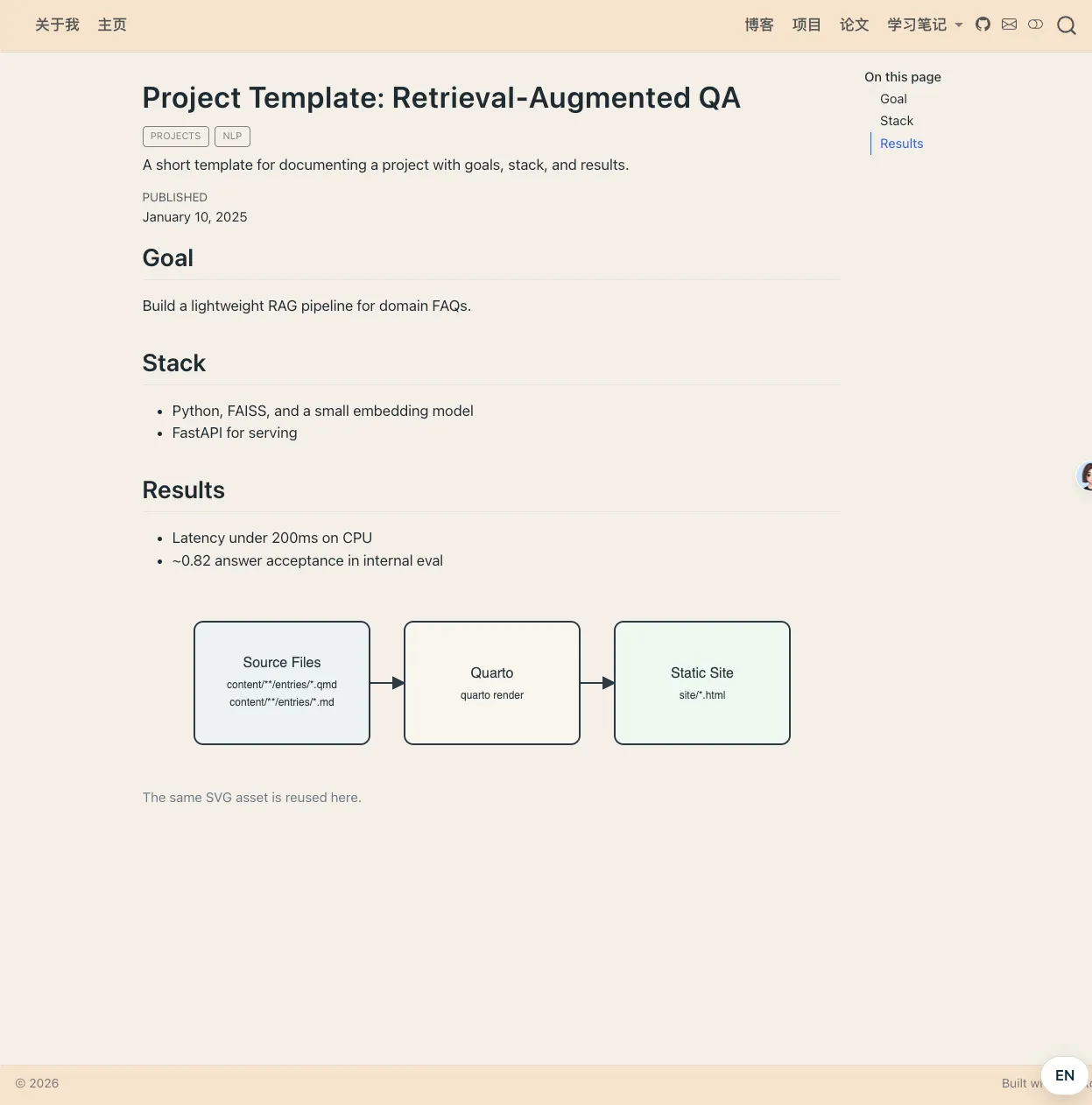
render:
  - pages/index.qmd
  - pages/home.qmd
  - content/**/index.qmd
  - content/**/entries/**/*.qmd
  - content/**/entries/**/*.md
Resource management
resources:
  - assets/**
  - content/assets/**
Deployment
GitHub Pages
- Push the project to a GitHub repository
- Configure GitHub Pages to deploy from the
docs/directory - Run
./scripts/publish.shto build and publish the site
Other static site hosting
- Run
./scripts/build.shto build the site - Deploy the contents of the
site/directory to your hosting service
Notes
- The
tmp/directory stores drafts; it is not rendered or committed to Git - The
backup/directory stores publishing backups and can be cleaned up at any time - Make sure all content files have a correct YAML header
- Use relative paths to reference images and other resources
License
Apache License
Contributing
Issues and Pull Requests to improve this template are welcome!