Recently, the domestic large model DeepSeek has attracted widespread attention. DeepSeek has also open-sourced the parameters of its models, and on Hugging Face it provides the original model as well as models distilled to varying degrees.
Out of curiosity, and because I happened to have an Alibaba Cloud server that I had gotten for free earlier, I decided to try out the local deployment process.
This article briefly introduces the deployment process and also provides a Gradio example for using the model.
1. Getting a Free Alibaba Cloud Server
Free trial. You can choose Interactive Modeling to try it out.
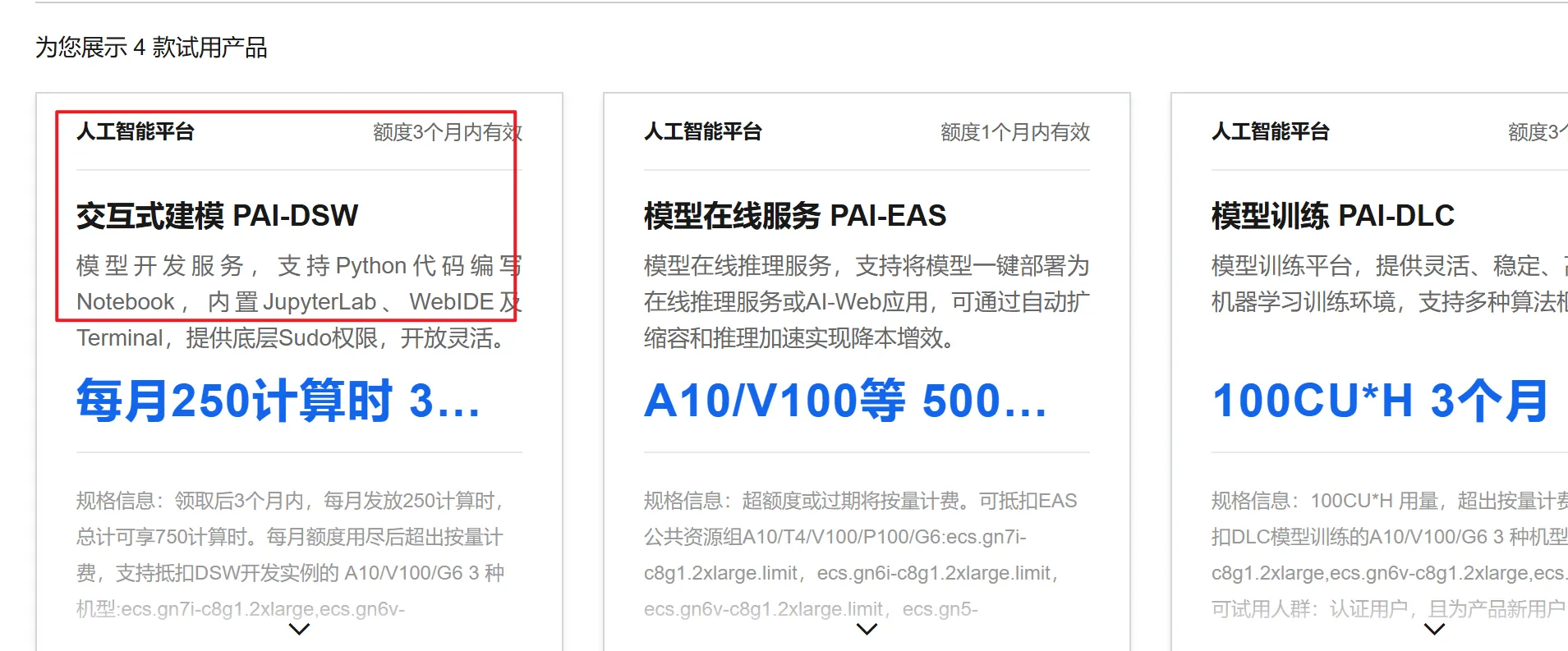
Just register an Alibaba Cloud account and select the trial.
2. Model Download and Load Testing
2.1. Setting Up the Environment
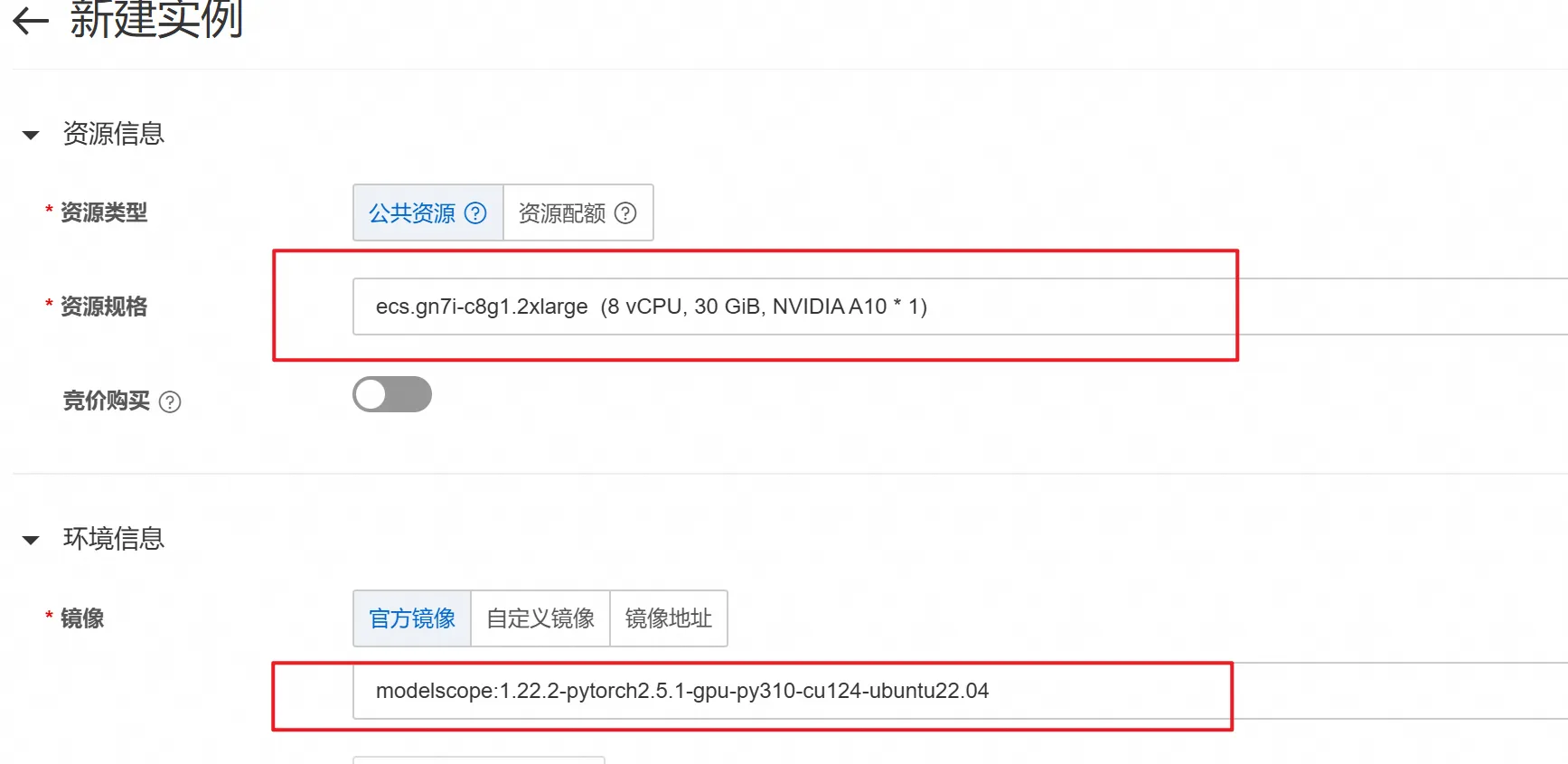
First, create an instance on Alibaba Cloud.
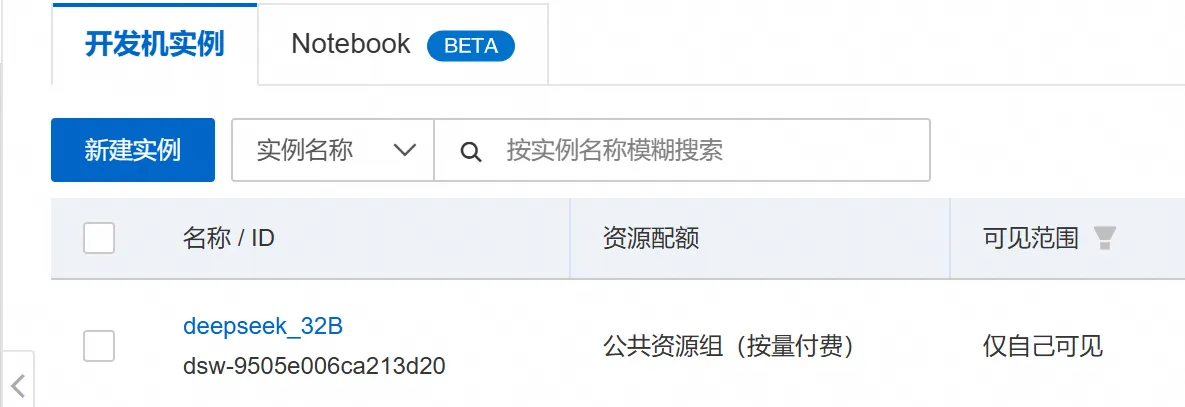
Then select the A10 GPU and the image shown in the figure.
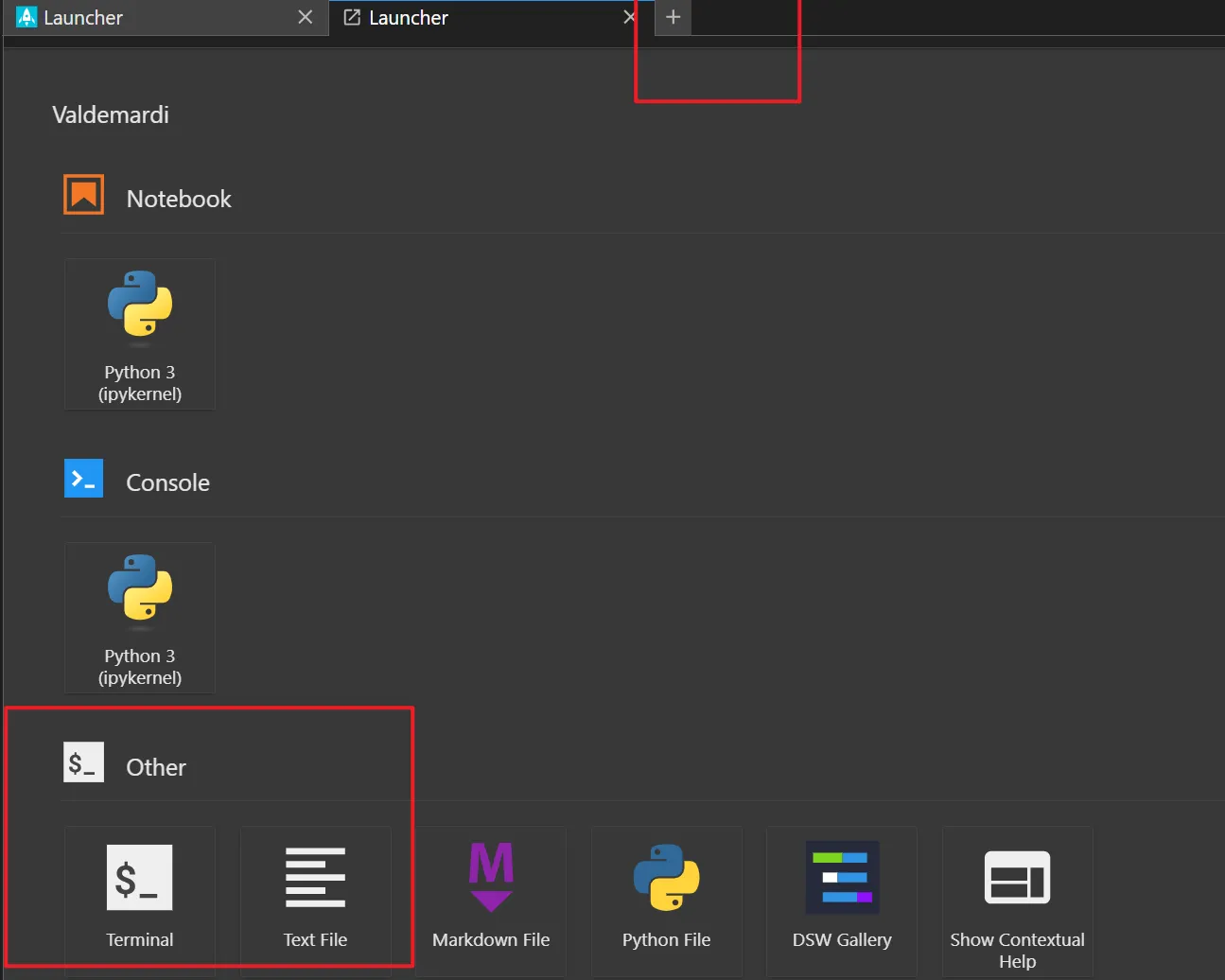
After that, wait for the instance to be created, enter the instance environment, click the plus sign in the upper right corner, and open the command line.
2.1. Downloading and Testing the Model
Download and test the model from the command line.
- Set the Hugging Face mirror endpoint.
export HF_ENDPOINT=https://hf-mirror.com- Download the DeepSeek-R1 32B model.
huggingface-cli download Valdemardi/DeepSeek-R1-Distill-Qwen-32B-AWQ --cache-dir /mnt/workspace/Valdemardi/DeepSeek-R1-Distill-Qwen-32B-AWQ- Test whether the model loads successfully.
vllm serve Valdemardi/DeepSeek-R1-Distill-Qwen-32B-AWQ --quantization awq_marlin --max-model-len 1024 --max-num-batched-tokens 2048 --max-num-seqs 1 --tensor-parallel-size 1 --port 8003 --enforce-eager --gpu_memory_utilization=0.90 --enable-chunked-prefillParameter descriptions: quantization awq_marlin: enables AWQ quantization, significantly reducing VRAM usage. max-model-len 1024: sets the maximum sequence length to 1024 tokens, suitable for most NLP tasks. max-num-batched-tokens 2048: sets the number of tokens processed in a batch to 512, balancing processing speed and VRAM usage. max-num-seqs 1: sets the number of sequences processed simultaneously to 1, avoiding the VRAM fragmentation caused by multi-sequence processing. tensor-parallel-size 1: disables tensor parallelism to maximize VRAM utilization. port 8003: sets the service listening port to 8003. enforce-eager: enables eager mode to speed up inference. gpu_memory_utilization 0.90: sets the VRAM utilization rate to 98%, using as much VRAM as possible. enable-chunked-prefill: enables chunked prefill to reduce VRAM fragmentation.
3. Gradio Interaction
Use Gradio to load the vLLM inference model for visual interaction. The code used is as follows:
import gradio as gr
import requests
from subprocess import Popen, PIPE
import threading
import time
import json

# ============== 配置参数 ==============
MODEL_NAME = "DeepSeek-R1-Distill-Qwen-32B-AWQ"
VLLM_PORT = 8003
GRADIO_PORT = 7860

VLLM_CMD = [
    "vllm", "serve", MODEL_NAME,
    "--quantization", "awq",
    "--max-model-len", "1024",
    "--max-num-batched-tokens", "2048",
    "--max-num-seqs", "1",
    "--tensor-parallel-size", "1",
    "--port", str(VLLM_PORT),
    "--gpu-memory-utilization", "0.9",
    "--enforce-eager",
    "--disable-log-requests",
    "--swap-space", "16"
]

# ============== 服务管理类 ==============
class VLLMServer:
    def __init__(self):
        self.process = None
        self._ready = threading.Event()
        self.start_time = time.time()

    def start(self):
        try:
            print(f"正在加载模型 {MODEL_NAME}...")
            self.process = Popen(VLLM_CMD, stdout=PIPE, stderr=PIPE, text=True)

            def log_monitor():
                while self.process.poll() is None:
                    line = self.process.stderr.readline()
                    if "Uvicorn running" in line:
                        print("vLLM服务启动成功!")
                        self._ready.set()
                    if time.time() - self.start_time > 600:
                        print("模型加载超时,请检查显存是否足够")
                        self.process.terminate()
                    print("[vLLM]", line.strip())

            threading.Thread(target=log_monitor, daemon=True).start()
            return True
        except Exception as e:
            print(f"vLLM启动失败: {str(e)}")
            return False

    def is_ready(self, timeout=600):
        return self._ready.wait(timeout=timeout)

# ============== 提示词构建 ==============
def build_prompt(history):
    prompt = "<|beginofutterance|>system\n你是一个智能助手<|endofutterance|>\n"
    for entry in history:
        if entry["role"] == "user":
            prompt += f"<|beginofutterance|>user\n{entry['content']}<|endofutterance|>\n"
        elif entry["role"] == "assistant":
            prompt += f"<|beginofutterance|>assistant\n{entry['content']}<|endofutterance|>\n"
    prompt += "<|beginofutterance|>assistant\n"
    return prompt

# ============== 流式生成逻辑 ==============
def stream_generator(history):
    try:
        response = requests.post(
            f"http://localhost:{VLLM_PORT}/v1/completions",
            headers={"Content-Type": "application/json"},
            json={
                "model": MODEL_NAME,
                "prompt": build_prompt(history),
                "max_tokens": 512,
                "temperature": 0.7,
                "top_p": 0.9,
                "stop": ["<|endofutterance|>"],
                "stream": True
            },
            stream=True,
            timeout=120
        )
        response.raise_for_status()

        full_response = ""  # 用于缓存完整的助手回答
        for chunk in response.iter_lines():
            if chunk:
                decoded = chunk.decode().replace("data: ", "")
                try:
                    data = json.loads(decoded)
                    token = data["choices"][0]["text"]
                    full_response += token
                    yield full_response  # 返回完整的生成内容(逐步追加)
                except:
                    pass

    except requests.exceptions.ConnectionError:
        yield "服务未就绪,请稍后重试"
    except Exception as e:
        yield f"请求失败: {str(e)}"

# ============== 界面布局 ==============
with gr.Blocks(title="DeepSeek-32B vLLM版") as demo:
    gr.Markdown("## DeepSeek-R1-32B 智能助手 (vLLM版)")

    status = gr.Textbox(label="服务状态", interactive=False)
    chatbot = gr.Chatbot(
        height=500,
        type="messages",
        label="对话历史",
        avatar_images=("user.png", "bot.png")
    )
    msg = gr.Textbox(label="输入消息", placeholder="请输入您的问题...")
    clear = gr.Button("清空历史", variant="secondary")

    def user(user_message, history):
        return "", history + [{"role": "user", "content": user_message}]

    def bot(history):
        if not history or history[-1]["role"] != "user":
            yield history
            return

        history.append({"role": "assistant", "content": ""})  # 添加空的助手消息
        full_response = ""  # 用于存储完整回答
        for chunk in stream_generator(history):
            full_response = chunk  # 缓存生成的内容
            yield history[:-1] + [{"role": "assistant", "content": full_response}]  # 更新生成的回答

        # 最终更新完整历史记录
        history[-1]["content"] = full_response
        yield history

    msg.submit(user, [msg, chatbot], [msg, chatbot], queue=True).then(
        bot, chatbot, chatbot
    )
    clear.click(lambda: [], None, chatbot, queue=False)

    # 状态检查
    demo.load(
        fn=lambda: "服务已就绪" if vllm_server.is_ready() else "启动中...",
        outputs=status
    )

if __name__ == "__main__":
    vllm_server = VLLMServer()
    print("正在启动vLLM服务...")
    threading.Thread(target=vllm_server.start, daemon=True).start()

    if vllm_server.is_ready():
        print("启动Gradio界面...")
        demo.launch(
            server_name="0.0.0.0",
            server_port=GRADIO_PORT,
            share=False
        )
    else:
        print("服务启动失败")
4. Testing the Results
4.1. Run the Script and View the Gradio Interface
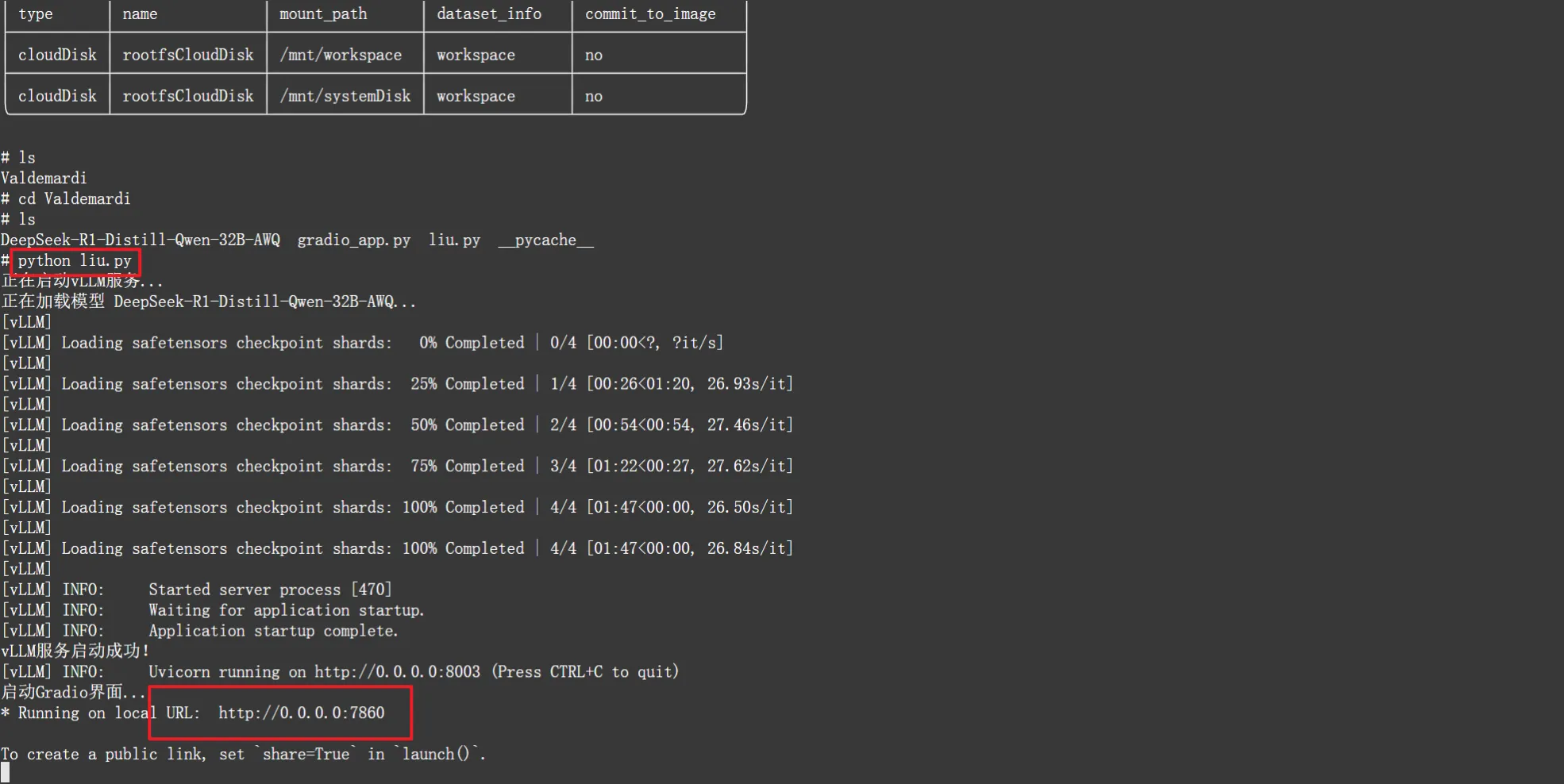
After it runs successfully, click the link below to open the interface.
4.2. Testing
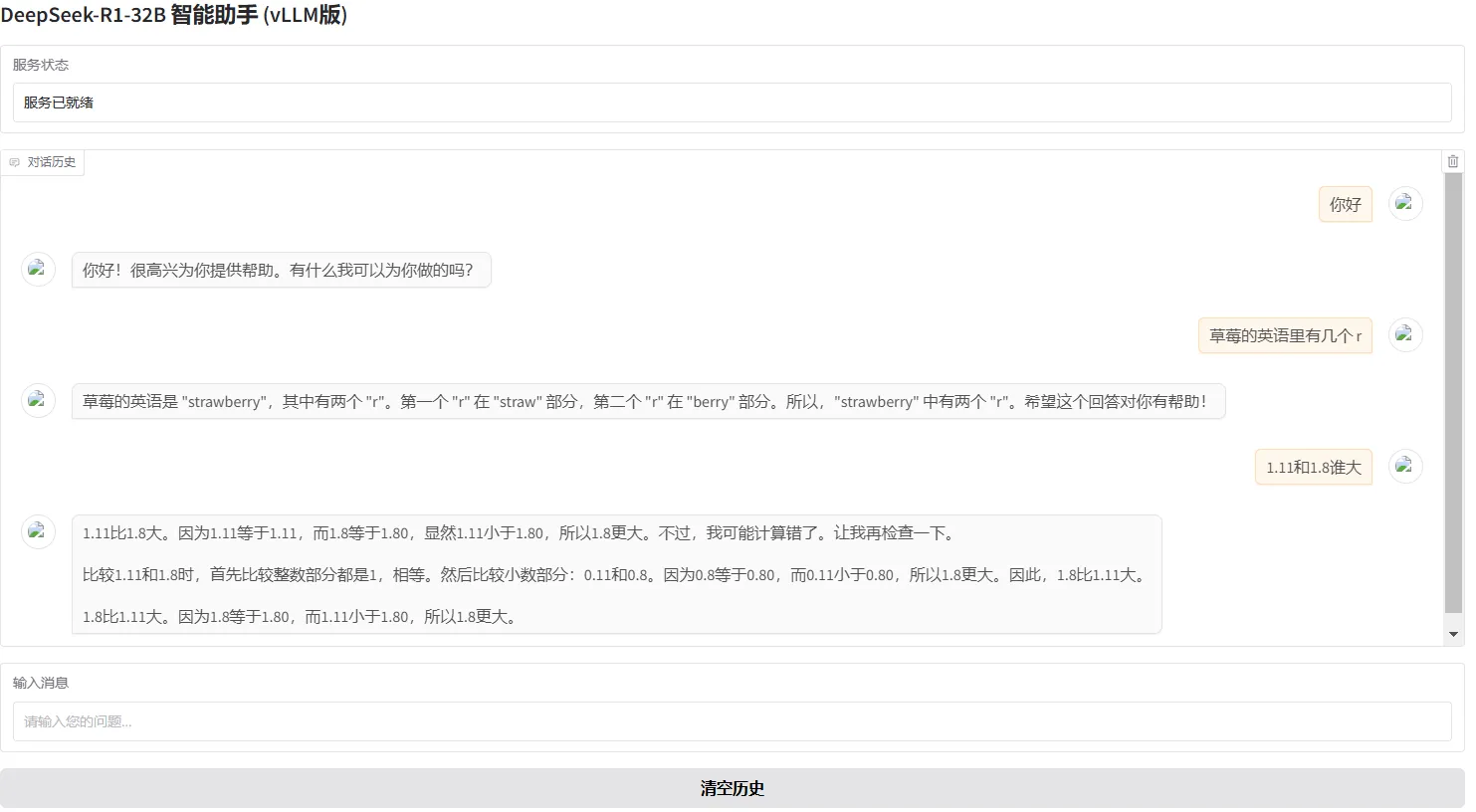
As can be seen from the test in the figure, there seems to be some improvement in mathematics, but it still cannot count how many ‘r’s there are in the strawberry question.